

The 2026 Executive Guide to Office Furniture: Strategic Procurement for Growth and Identity
December 29, 2025
The Enduring Value of Quality Office Furniture: A Whitepaper for Discerning American Customers
January 27, 2026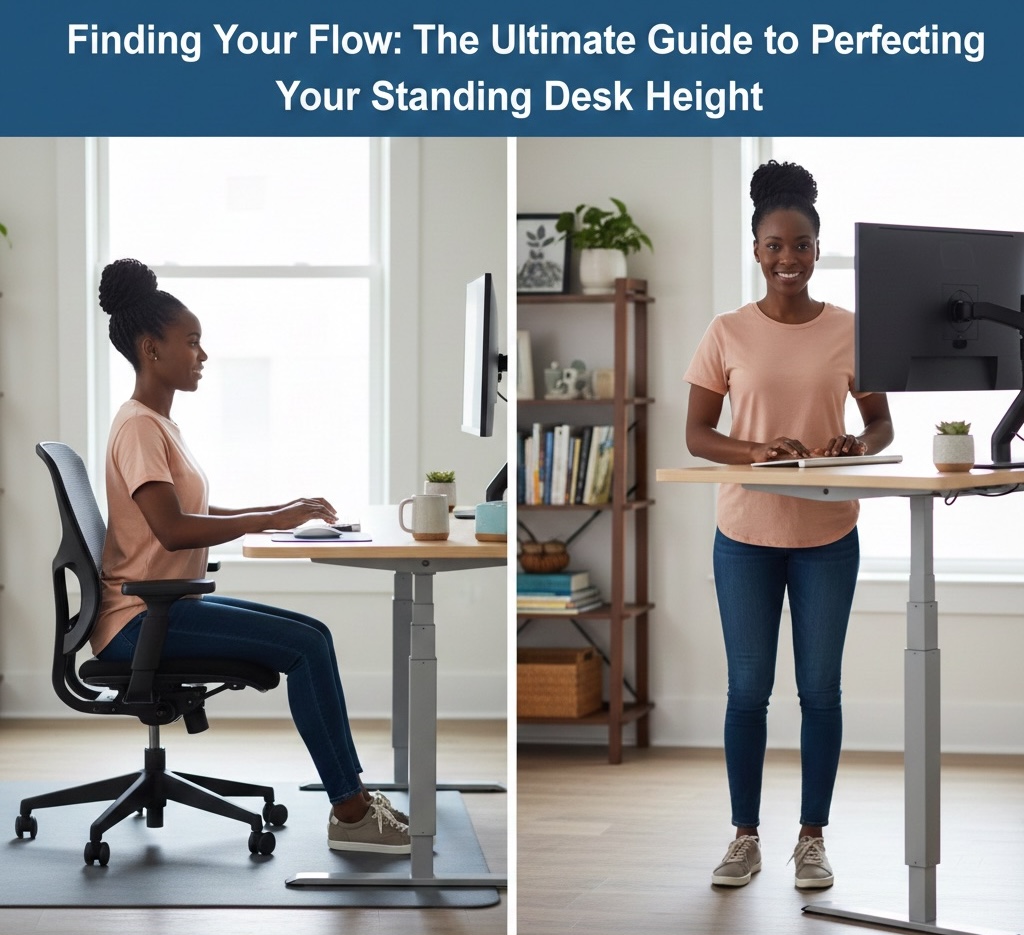
How to Set Your Height-Adjustable Desk: The Complete Ergonomic Guide
If you’ve invested in a height-adjustable desk, you’ve taken a major step toward better health and productivity. However, many people set it up incorrectly and end up trading one set of problems for another. Here’s exactly how to find your perfect “Goldilocks” height.
1. The Golden Rule: The 90-Degree Angle
Whether sitting or standing, your elbows should form a 90-degree angle (or up to 110°) when your hands rest on the keyboard. Keep your wrists neutral — straight, not bent upward or downward.
Too high → shoulder shrugging and neck tension. Too low → slouching and wrist strain.
2. Setting Your Perfect Sitting Height
- Adjust your chair first: Sit with feet flat on the floor, knees at 90°, and a small gap behind your knees.
- Relax your shoulders: Let your arms hang naturally.
- Lower the desk: Until your forearms rest comfortably with elbows tucked.
- Check wrist position: Wrists should float lightly over the keyboard.
3. Finding Your Standing Sweet Spot
- Wear your work shoes: Even a small heel changes your height alignment.
- Bend elbows to 90°: Stand tall with relaxed shoulders.
- Raise the desk: Until your fingertips rest on the keyboard keys.
- Use an anti-fatigue mat: Adjust height while standing on it for accuracy.
4. Monitor Height – Avoid “Tech Neck”
Your eyes should align with the top third of the screen. Look slightly downward at the center without tilting your head forward.
5. Typical Height Reference Chart
Use these averages as a starting point, then fine-tune to your body.
6. Smart Transition Strategy
- Start small: Begin with 15–30 minutes standing per hour.
- Listen to your body: Sit when your feet or back signal fatigue.
- Match tasks to posture: Stand for high-energy tasks (emails, calls). Sit for deep focus work.
Final Thoughts
Properly calibrating your sit-stand desk takes just a few minutes but prevents years of discomfort. The best posture is your next posture — move often and adjust frequently.
References & Further Reading
- OSHA Computer Workstations eTool: Desk setup guidelines
- Mayo Clinic — Office Ergonomics: Practical ergonomic advice
- Cornell University Ergonomics Web: Research-based resources